How to Update Name, Address, Date of Birth, or Mobile Number in Aadhaar (2026 Guide)
Table of Contents
Overview of Aadhaar Update Methods
In 2026, Aadhaar details can be updated in two main ways:
- Online (myAadhaar portal) – mainly for address and document re-upload.
- Offline (Aadhaar Seva Kendra / Enrolment Centre) – for name, date of birth, mobile number, biometrics and also address.
For any online update, your mobile number must already be linked to Aadhaar because OTP verification is compulsory. If your mobile is not linked, you must visit a physical centre.
Documents Needed for Aadhaar Update
To update name, address, date of birth or mobile number, you must provide self-attested copies of valid documents, and show originals at the centre. Broadly, documents fall into these categories:
- Proof of Identity (PoI) – for name, gender, photo (Passport, PAN, Voter ID, Driving Licence, Govt ID, etc.).
- Proof of Address (PoA) – for address (Passport, bank passbook, utility bills, rent agreement, property tax receipt, etc.).
- Proof of Date of Birth (DoB) – for DOB (Birth Certificate, Passport, SSLC/10th marks card, PAN, Govt-issued DOB certificate).
Always ensure your updated data exactly matches the document (spelling, sequence of name, date format) to avoid rejection. For a complete list of acceptable documents, check our guide on Aadhaar Card Documents Required.
How to Update Aadhaar Address Online
You can update only address fully online using the myAadhaar portal, provided your mobile is linked.
Step-by-step Address Update (Online)
- Visit the myAadhaar portal (UIDAI official site) and click Login.
- Enter your 12-digit Aadhaar number, fill the captcha and click Send OTP.
- Enter the OTP received on your registered mobile and log in to your dashboard.
- Select “Update Aadhaar Online” or “Address Update” from the services.
- Choose “Address” as the field to update and click Proceed.
- Enter your new address exactly as per your PoA document – pin code, district, state, house/flat, landmark, etc.
- Upload a scanned copy of your Proof of Address (PDF/JPEG as per size guidelines).
- Preview all details carefully, confirm, and pay the applicable update fee (usually ₹50) online.
- After submission, you will get a Service Request Number (SRN) or Update Request Number (URN) to track your request.
Your address is typically updated within 5–7 working days, and you can download updated e-Aadhaar once the status shows “successful”.
How to Update Name, Date of Birth, and Mobile Number (Offline)
Updates for name, date of birth, and mobile number currently require a visit to an Aadhaar Enrolment Centre/Aadhaar Seva Kendra. The process is similar for all three fields, with differences mainly in the documents you provide.
Common Steps at Aadhaar Centre
- Locate nearest centre
Use the official Aadhaar service locator on the UIDAI site to find a nearby Aadhaar Seva Kendra or bank/post office enrolment centre. - Carry original documents
- For name change – PoI with new name (Passport, PAN, Govt ID, etc.).
- For DoB correction – Birth Certificate, Passport, SSLC marks card, or other DoB proof.
- For mobile number update – usually no document is required beyond Aadhaar itself, but some centres may ask for basic ID proof as per local practice.
- Fill Aadhaar Update/Correction Form
In the form, tick the fields you want to change (Name/Address/DOB/Mobile) and write the updated data clearly in BLOCK letters. - Biometric authentication
The operator will verify your identity using fingerprint/iris and your Aadhaar card. - Pay the update fee
A nominal fee (around ₹50 per update request) is charged at the centre. - Collect acknowledgment slip
You will receive a slip containing your Update Request Number (URN) to track status online.
Processing can take up to 90 days for offline updates, although it is often completed sooner.
Specific Instructions by Field
1. Name Change in Aadhaar
Use this for spelling corrections, adding surname, post-marriage name change, or legal name change.
- Ensure your new name exactly matches the PoI document.
- Major changes (e.g., completely different name) may require gazette notification or court order, depending on UIDAI rules at that time.
- You can update name only a limited number of times in a lifetime, so avoid frequent minor changes.
2. Date of Birth (DOB) Update
Correct DOB is crucial for banking, passport, and income tax compliance.
- For minor corrections, accepted documents include Birth Certificate, Passport, SSLC/10th marks card, PAN, etc.
- UIDAI generally allows only one or very limited DoB correction(s), so ensure your date is final and matches all other documents.
3. Mobile Number Update or Addition
A registered mobile number is required for e-KYC, PAN linking, online updates, and OTP-based logins.
- Visit any Aadhaar centre, submit the update form, and provide the new mobile number.
- Operator will send an OTP to the new number or capture biometrics as confirmation.
- Once updated, all future OTPs and alerts will go to the new mobile.
4. Address Update at Centre
Even though address can be updated online, you may choose the offline route if:
- Mobile number is not registered.
- You face document upload or language issues online.
Steps are similar to the general offline flow; just ensure you carry a valid PoA with the latest address.
Tracking Status and Downloading Updated Aadhaar
After submitting your update request (online or offline), you should track and verify the change.
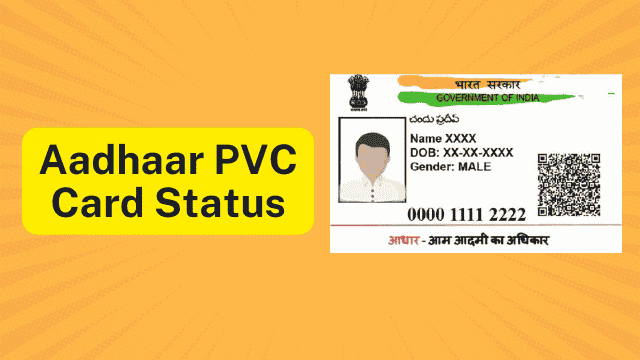
- Go to the UIDAI update status page and enter your URN/SRN and Aadhaar number. You can also check our detailed guide on How to Check Aadhaar Status.
- Once it shows “Updated Successfully”, you can download the latest e-Aadhaar in PDF using OTP on your registered mobile.
Always cross-check that your name, address, DOB, and mobile appear correctly on the updated Aadhaar before using it for banking, PAN linking, or government schemes. Learn more about how to download your e-Aadhaar.
Practical Tips for Error-Free Aadhaar Updates
- Match spellings with your passport or PAN, especially if you travel or file income tax regularly.
- Avoid frequent small edits; plan all corrections together to save time and fees.
- Keep one master set of documents (PoI, PoA, DoB) consistent across Aadhaar, PAN, bank account, and passport.
- Use only official UIDAI website and recognized centres to avoid fraud.
By following these steps carefully, you can update your name, address, date of birth, and mobile number in Aadhaar smoothly and enjoy uninterrupted access to banking, subsidies, and digital services.