Download Aadhaar Card, Check Status, and Access All Aadhaar Services in One Place
Get quick access to Aadhaar download, status check, corrections, updates, and enrollment services. This website helps you find official links, guides, and resources to manage your Aadhaar easily.
Aadhaar is an essential identity document used across India for verification, government schemes, banking, mobile SIM, and more. Our platform provides simple, step-by-step guides and direct links to help you:
- Download your Aadhaar card
- Check Aadhaar status
- Update Aadhaar details
- Find the nearest Aadhaar enrollment center
- Book an appointment
- Verify Aadhaar
- Access official UIDAI services instantly
All services redirect to the official UIDAI portal or trusted government platforms.
Table of Contents
Aadhaar Services
Below are ready-to-use cards in the format you shared.
You can duplicate them and change link/title/description as needed.
💳 Enrollment Center
Click here to search and locate nearby Aadhaar Seva Kendras.
⬇️ Download Aadhaar
Download your Aadhaar card instantly using Aadhaar number, Enrollment ID, or Virtual ID.
📍 Check Aadhaar Status
Check the status of your Aadhaar enrollment or update request.
📝 Update Aadhaar
Update your mobile number, address, date of birth, and more.
📅 Book Appointment
Book an appointment at the nearest Aadhaar Seva Kendra.
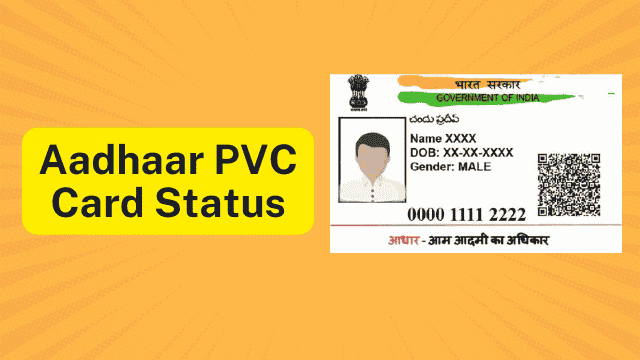
💳 PVC Aadhaar Card
Order your Aadhaar PVC card online.
✔️ Verify Aadhaar
Verify your Aadhaar number or registered mobile/email.
My Aadhaar Login (Short Details)
The MyAadhaar portal allows users to securely access Aadhaar services using their 12-digit Aadhaar number and OTP. Logging in is required for updating details and using UIDAI’s online services.

- Visit myaadhaar.uidai.gov.in
- Click Login
- Enter your 12-digit Aadhaar number
- Complete the captcha
- Click Login with OTP
- Enter the OTP received on your registered mobile number
- You will be redirected to the Aadhaar Dashboard
Aadhaar Services Offered by UIDAI
1. Download Aadhaar (e-Aadhaar)
Download a digital PDF copy of your Aadhaar card.

- Go to myaadhaar.uidai.gov.in → Download Aadhaar
- Enter Aadhaar Number / EID / VID
- Complete the captcha
- Enter the OTP
- Download the PDF
Password: First 4 letters of your name (CAPITAL) + Birth Year
Example: VISH + 2004 = VISH2004
2. Check Enrolment or Update Status
Track your Aadhaar enrolment or update request.
- Visit myaadhaar.uidai.gov.in → Check Enrolment & Update Status
- Enter Enrolment No or URN or SRN or SID
- Verify using OTP
- View your status (Generated, In Process, etc.)
The 14 digit enrolment number, printed on acknowledgement slip while physically visiting Enrolment / Update center. Sample: 1234/12345/12345
SRN – ‘S’ followed by 13 digits, printed on acknowledgement slip while submitting online update request. Sample: S1234567891234
URN – The 8 digit URN, printed on acknowledgement slip while submitting update request through ‘mAadhaar’ application. Sample: 12345678
SID – ‘S’ followed by 27 digits, printed on acknowledgement slip while physically visiting Enrolment / Update center. Sample: S1234567891234567891234567
| Input Type | Sample Only. |
| Enrolment Number | 1234/12345/12345 |
| SRN | S1234567891234 |
| URN | 12345678 |
| SID | S123456789123456789123456789 |
Toll-Free Method (1947):
Call 1947 → Select language → Press 1 for enrolment status / 2 for update status → Enter EID/URN → Hear status.
3. Document Update
Update your Aadhaar details online (name, address, DoB, gender, etc.).
- Visit myaadhaar.uidai.gov.in → Document Update
- Login with Aadhaar + OTP
- Choose the detail you wish to update
- Upload supporting documents
- Review and submit
- Save your URN for tracking
Note: Document update is free until 14/06/2026.
Mobile Number Update:
Must be done at an enrolment center.
4. Retrieve EID or Aadhaar Number
Find your lost Aadhaar Number or Enrolment ID.
- Visit myaadhaar.uidai.gov.in → Retrieve EID/Aadhaar Number
- Enter your name and registered mobile/email
- Complete captcha
- Verify via OTP
- Your Aadhaar Number/EID will be sent to your mobile/email
5. Verify Email / Mobile Number
Ensure your email or mobile is linked correctly.
- Go to Verify Email/Mobile
- Enter Aadhaar Number + mobile/email
- Enter captcha
- Verify OTP
- See confirmation result
6. Generate Virtual ID (VID)
Create a private 16-digit ID for safer Aadhaar authentication.
- Visit VID Generator on MyAadhaar
- Enter Aadhaar Number + OTP
- Choose Generate VID or Retrieve VID
- VID will appear on screen & sent to mobile
7. Order Aadhaar PVC Card
A durable, wallet-sized Aadhaar card.
- Go to Order Aadhaar PVC Card
- Enter Aadhaar Number + captcha
- Authenticate with OTP
- Pay ₹50
- Card is printed & dispatched by UIDAI
Delivery:
- UIDAI hands over to India Post within 5 working days
- Delivery takes 5–15 days via Speed Post
Check Status:
Enter SRN (from payment receipt) to view order updates.
8. Locate Enrolment Center
Find Aadhaar Seva Kendras near you.
- Visit Locate Enrolment Center on MyAadhaar
- Search by PIN, city, or state
- View center address, timings, and contact details
Aadhaar and UIDAI (Short Overview
Aadhaar is a 12-digit unique number issued to residents of India.
It includes both demographic details (name, address, DoB, etc.) and biometric data (photo, fingerprints, iris).
Aadhaar Card Key Features
- Unique identity (no duplicates)
- e-Aadhaar (digital PDF)
- Masked Aadhaar (private version)
- Baal Aadhaar (for children under 5)
- PVC Aadhaar card
- Virtual ID (VID)
- Not proof of citizenship
Aadhaar Card Applications
- Bank KYC
- SIM activation
- Government subsidies (DBT)
- Insurance & financial services
- Benefits schemes (LPG, PM-Kisan, Ayushman Bharat)
About UIDAI
UIDAI is the authority responsible for issuing Aadhaar and maintaining the Aadhaar database.
UIDAI Responsibilities
- Issue Aadhaar Numbers
- Manage Aadhaar data
- Provide authentication services
- Ensure security & privacy
- Oversee Aadhaar Seva Kendras
UIDAI Helpline
- Toll-free: 1947
- Email: [email protected]