Baal Aadhaar Card for Children Under 5: Complete Enrollment Guide
If you have a newborn or young child, getting them a Baal Aadhaar card is now easier than ever. This special blue-colored Aadhaar card is designed specifically for children from birth to 5 years of age.
The best part? Your child gets a permanent 12-digit Aadhaar number that stays with them for life. Let’s understand everything about Baal Aadhaar and how to get it for your child.
Table of Contents
What is Baal Aadhaar?
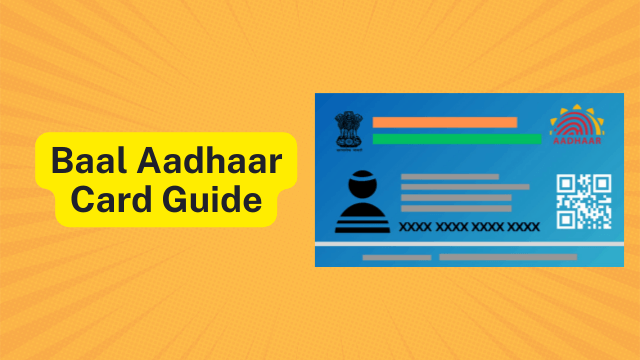
Baal Aadhaar is a blue-colored Aadhaar card issued to children under 5 years. Unlike regular Aadhaar cards, it doesn’t require fingerprints or iris scans from the child.
The card clearly states it’s valid until the child turns 5. After that, you need to update it with biometric details, but the Aadhaar number remains the same forever.
Why You Need Baal Aadhaar
- School admissions and educational institutions
- Government health schemes and vaccinations
- Opening bank accounts for children
- Accessing welfare programs and subsidies
- Future documentation needs
How to Enroll for Baal Aadhaar (Step by Step)
Enrolling your child for Baal Aadhaar is a simple process that takes about 30-45 minutes at an Aadhaar center.
Step 1: Find Your Nearest Aadhaar Center
- Visit the UIDAI website or use the mAadhaar mobile app
- Search using your PIN code or district name
- Book an appointment online if available (highly recommended)
- Call the center to confirm timings before visiting
Step 2: Gather Required Documents
Documents for your child:
- Birth certificate (most important)
- Hospital discharge slip or birth record (if birth certificate not available)
- Indian passport (mandatory for NRI children)
Documents for parent/guardian:
- Your Aadhaar card (absolutely essential)
- Make sure your Aadhaar mobile number is active
Note: You don’t need separate address proof for the child. Your address from your Aadhaar will be used.
Step 3: Visit the Aadhaar Center
Reach the center with all your documents. Try to go when your child is well-rested and in a good mood.
Step 4: Fill the Enrollment Form
The operator will give you a form. Fill in these details:
- Child’s full name (exactly as on birth certificate)
- Date of birth
- Gender
- Address (same as yours)
- Parent’s details
Important: Double-check spelling of your child’s name. Mistakes now mean correction hassles later.
Step 5: Parent’s Biometric Authentication
Since your child can’t provide fingerprints yet, you’ll authenticate using your biometrics:
- Place your fingers on the scanner
- Look into the iris camera
- This links your child’s Baal Aadhaar to your Aadhaar
Step 6: Child’s Photograph
The operator will take a clear photograph of your child’s face. This is the only biometric captured for children under 5.
Keep your child calm and facing the camera. Don’t worry – operators are experienced with young children.
Step 7: Verification and Acknowledgment
The operator will show you all details on screen. Check everything carefully:
- Child’s name spelling
- Date of birth
- Your details
- Address
Once confirmed, you’ll get an acknowledgment slip with a 28-digit Enrollment ID (EID). Keep this slip safe!
Step 8: Track Status and Download
After 2-3 weeks, check your application status online using the EID. Once ready, you can download the e-Aadhaar or wait for the physical blue card by post.
Documents Required (Quick Checklist)
| Document Type | What to Bring |
| Child’s Proof of Birth | Birth Certificate or Hospital Slip |
| Parent’s Identity | Your Aadhaar Card (Mandatory) |
| Address Proof | Not Required (Taken from Parent’s Aadhaar) |
| Child’s Photo | Taken at Center (No need to carry) |
| For NRI Children | Valid Indian Passport |
Biometric Updates: Age 5 and Age 15
Children under 5 don’t provide fingerprints or iris scans because these features change too quickly as they grow.
First Update at Age 5 (Mandatory)
When your child turns 5, you must visit an Aadhaar center again for biometric capture:
- All 10 fingerprints will be scanned
- Both irises will be captured
- Fresh photograph will be taken
- The Aadhaar number stays the same
- This update is often free during special periods
Second Update at Age 15 (Mandatory)
A second update is required at 15 years when physical features are fully matured. Again, the Aadhaar number remains unchanged.
Important Things to Remember
- Enrollment is completely free – Don’t pay any fees. Report if anyone asks for money.
- Name must match exactly – Write your child’s name exactly as on the birth certificate.
- Keep mobile number updated – Your registered mobile number will be used for OTPs and updates.
- Save the acknowledgment slip – You need the EID to track status and download e-Aadhaar.
- Processing takes 2-3 weeks – Some applications may take longer depending on verification.
- Book appointments – Online booking saves waiting time at centers.
- Either parent can link – Mother’s or father’s Aadhaar can be used for linking.
Common Questions Answered
Can I apply for Baal Aadhaar online?
No, you must visit an Aadhaar center in person. However, you can book appointments online and track status online.
Is there any fee for Baal Aadhaar?
No. Enrollment is completely free for all children. Biometric updates at age 5 are also free during certain periods.
What if we miss the age-5 update?
The update is mandatory. Complete it as soon as possible after the 5th birthday to avoid service restrictions.
Can I use e-Aadhaar instead of the physical card?
Yes. The downloaded e-Aadhaar is legally valid and accepted everywhere the physical card is accepted.
What if my child was born outside India?
As long as your child is an Indian resident with proper documents (Indian passport for NRI children), you can enroll them at any Aadhaar center in India.
Tips for a Smooth Enrollment
- Visit when your child is well-rested and fed
- Bring toys or snacks to keep them occupied while waiting
- Go right after nap time if possible
- Carry all documents in a folder for easy access
- Take a photo of the acknowledgment slip as backup
- Verify all details on screen before final submission
- Note down the center’s contact number for follow-ups
Getting Baal Aadhaar for your child is a simple process that opens doors to education, healthcare, and government benefits. With the right documents and a quick visit to an Aadhaar center, your child will have their permanent identity number ready.
For more information on Aadhaar documents, status tracking, and downloads, visit our complete Aadhaar guide. You can also check the official UIDAI website for the latest updates.